
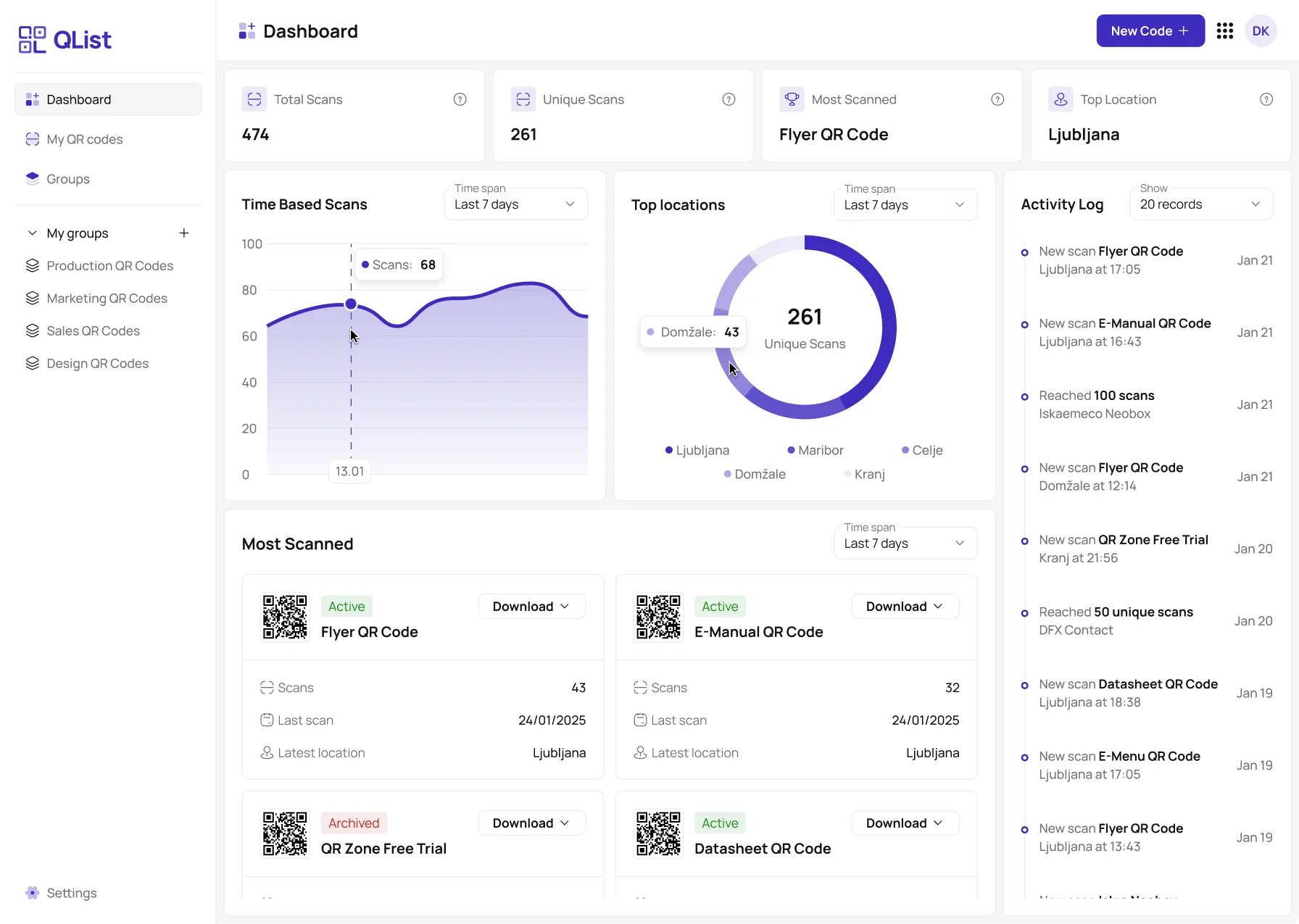

QR codes with scan tracking
Dynamic codes you can re-point after printing. Every scan is logged with country, city, time and device, with bots flagged. URL, file and vCard codes, grouped by client or campaign.

HTML form to email
Point any form's action at QList and submissions land in your inbox. Honeypot and reCAPTCHA or Turnstile spam protection, a submission history, and your own thank-you page. No backend, no monthly cap.
How It Works
Name. Paste. Generate. Then track scans, group QRs, and tweak links - all from one dashboard
Create in Seconds
Paste any URL, name your QR code, and generate - ready to scan instantly.

Manage & Track Everything
Organize QRs into groups, track scans by location/time, and update links anytime.

Why Choose QList?
In a world where every scan counts, QList gives you enterprise-grade QR management without the complexity.
Scan Analytics
Track performance with real-time insights: scan locations, peak times, and device types. Optimize campaigns by seeing what works—and where.

Project Groups
Organize QR codes into groups (like "Summer Campaign" or Restaurant Menu") for clutter-free management. Perfect for teams handling multiple clients or projects.
HTML Form Submission Handling
Add one snippet to any HTML contact form and receive submissions directly in your inbox — no backend, no server, no third-party service required.

Spam Protection
Connect your own Google reCAPTCHA v3 or Cloudflare Turnstile keys. QList generates the complete, ready-to-paste snippet automatically — no manual scripting needed.
HTML Form Email Forwarding
Already have a website? Add one code snippet to any HTML contact form and receive submissions directly in your inbox — no backend, no server setup required.
One snippet, zero backend
Paste a single hidden input into your existing form. Submissions land in your inbox instantly — no server or hosting required.
Built-in spam protection
A hidden honeypot checkbox silently blocks bot submissions before they ever reach your inbox.
Full submission history
Every submission is logged in your dashboard with timestamp, IP address, and all field data — even if the email fails.
Custom thank-you redirect
Automatically send users to your own thank-you page after they submit, keeping your site's look and feel.
<form action="https://api.qlist.io/api/formsubmit" method="POST">
  <input type="hidden" name="jg_id" value="YOUR_FORM_ID" />
  <input type="hidden" name="jg_redirect"
         value="https://yoursite.com/thank-you" />
  <!-- Honeypot — blocks bots silently -->
  <input type="checkbox" name="jg_botcheck"
         style="display:none" />

  <!-- Your own form fields -->
  <input type="text" name="name" placeholder="Name" />
  <input type="email" name="email" placeholder="Email" />
  <textarea name="message"></textarea>
  <button type="submit">Send</button>
</form>Set up spam protection in 3 steps
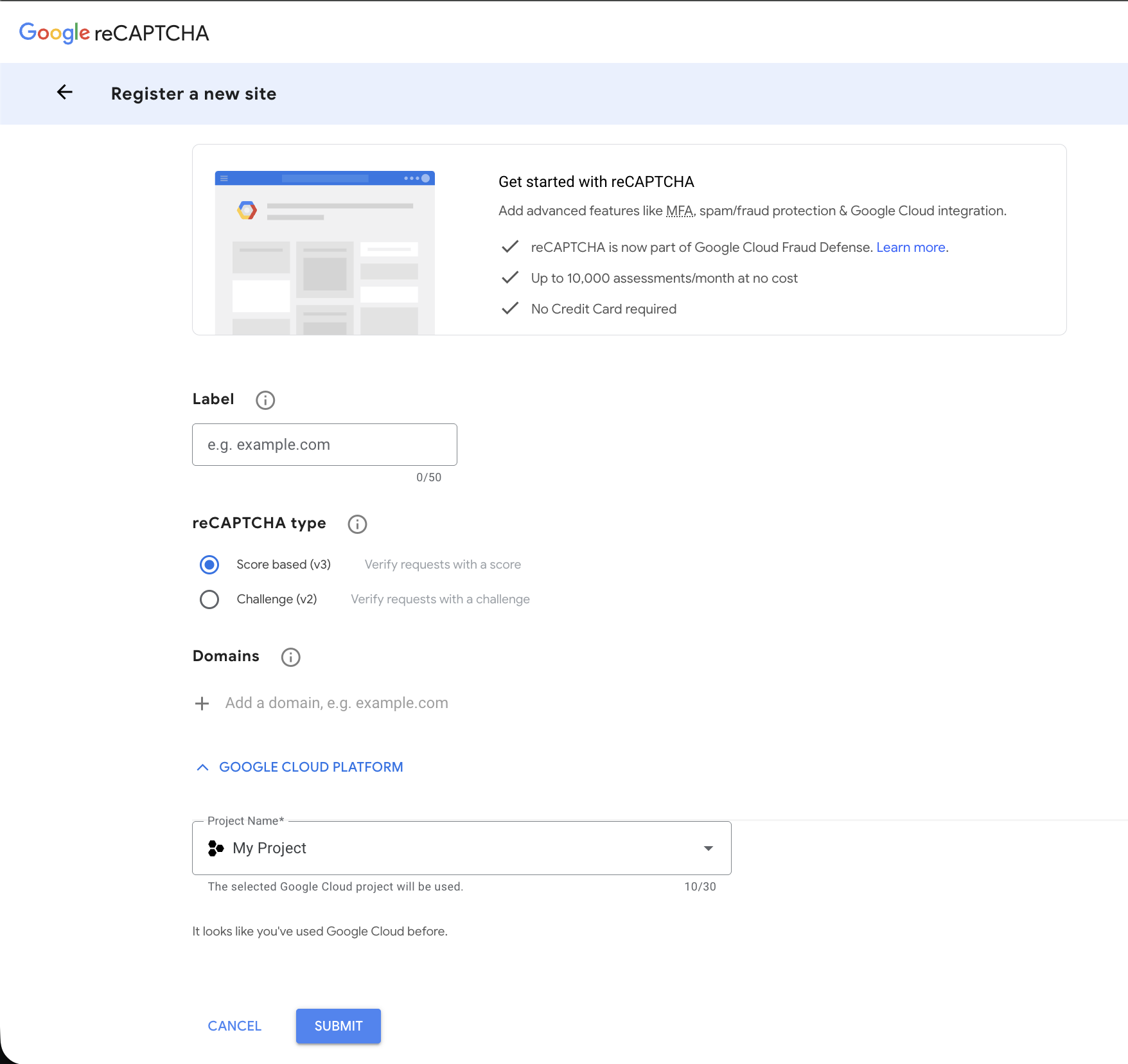
Connect Google reCAPTCHA v3 or Cloudflare Turnstile to any QList form. QList generates the complete, self-sufficient code snippet — no manual scripting needed.
Enter your domain name as the label (e.g. yoursite.com).
Invisible to users — no checkbox challenge. Add every domain you want to protect under the Domains section.
Go to QList → Settings → Spam protection → Google reCAPTCHA v3. Paste both keys and save. The snippet on your form details page updates instantly.
Powering Connections for Modern Businesses
From cozy cafes to global brands, QList helps all kinds of businesses. Scan through some of the companies that trust us for their QR code needs:




From the blog
Practical guides on QR code tracking, menus, print campaigns and form handling.



FAQs
Got questions? We’ve got answers. Here’s everything you need to know about creating, managing, and tracking QR codes with our platform.

Yes. QList is free. No credit card, no expiry, no scan limits. Create QR codes with full scan analytics at no cost.
No. Sign up with just your email address and start creating QR codes immediately — no payment details needed.
Yes. QList is registered in the EU and fully GDPR compliant. Your data is never shared or sold.
No. There is no cap on QR codes, scans or form submissions. File QR codes accept files up to 50 MB. QList is free. If that ever changes, existing users are told well in advance.
Yes. QList is free, with analytics and form forwarding included, no time limit and no credit card. If that ever changes, existing users are told well in advance.
URL QR codes with full scan analytics, file QR codes for direct document downloads, vCard QR codes that save a contact on scan, HTML form submission handling with email forwarding, and built-in spam protection via Google reCAPTCHA v3 or Cloudflare Turnstile.
Yes. Use Project Groups to organize QR codes by campaign, client, or location for clutter-free management.
Real-time scan tracking by location, time, and device type — all visible from your dashboard.
Get In Touch
Have questions or need support? Our team is here to help with technical assistance, partnership inquiries, or anything else.